Pushing and Fetching
Configure Git authentication for pushing and fetching, and optionally land branches directly onto the target branch without pull requests.
GitButler can authenticate with an upstream Git server in several different ways.
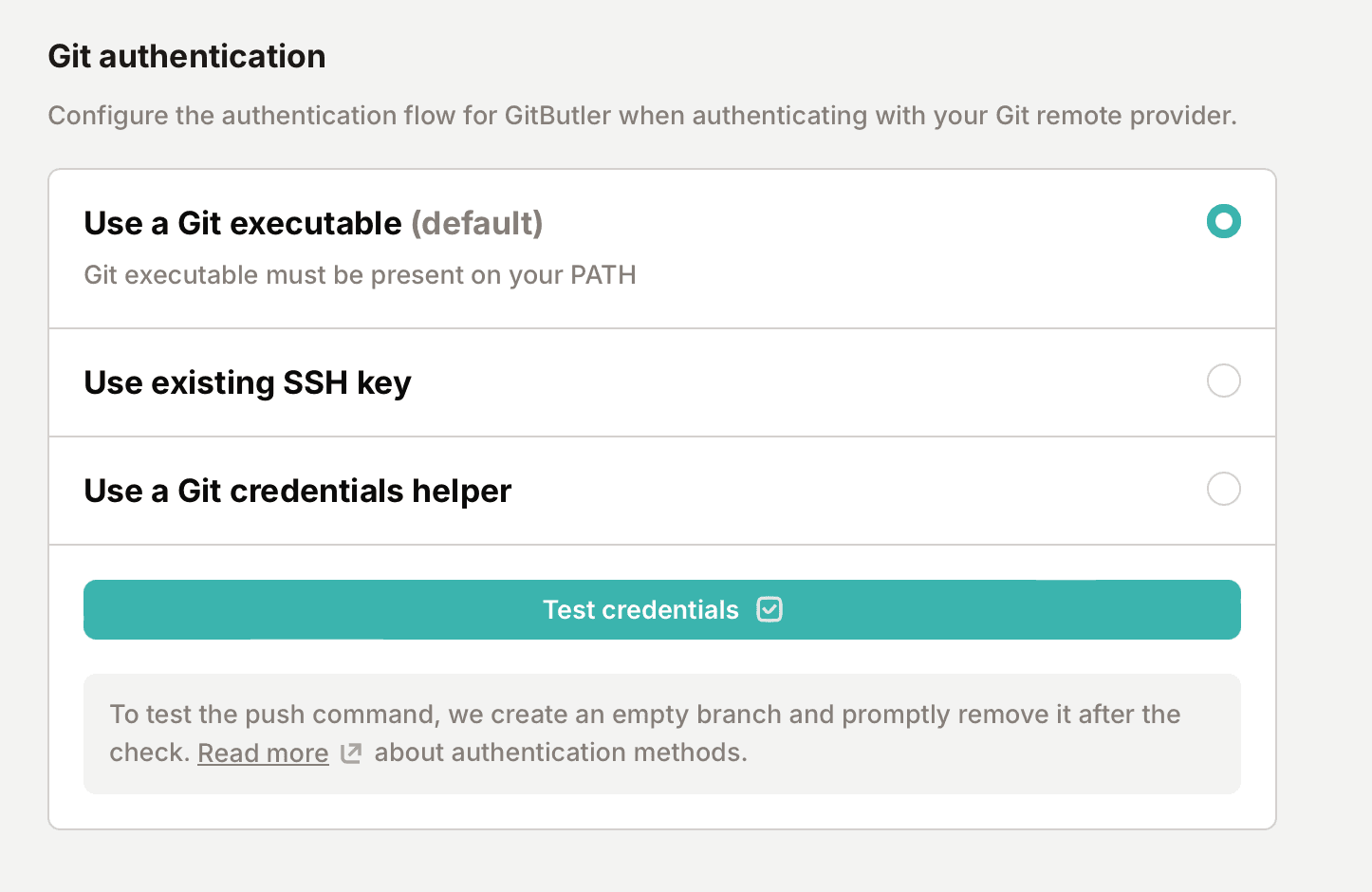
You can just tell us to use the system Git executable, which you can setup however you want. You can use our built in SSH protocol with your own SSH key (this does not require you to have Git installed), or you can use the default Git credentials helper.
You can set your preference (and test if it works) in your project's "Git authentication" section:
Once that's done, GitButler will be able to automatically fetch upstream work and push new branches to your upstream server.
Land branches without pull requests
If your project does not review changes through pull requests, you can switch a project to the "push to main" workflow. During repository onboarding, check "Push to main / Skip pull requests mode". For an existing project, open the project settings, go to the Git section, and turn on "Land branches directly".
With this on, the "Create PR" button on the bottom branch of a stack becomes a "Land" button. Landing integrates the branch straight into the target branch — fast-forwarding when possible, otherwise with a merge commit — and pushes the result. It works without a forge integration.
Landing bypasses code review, CI checks, and branch protection, and a branch protected against direct pushes will reject it. The CLI equivalent is but land.
Last updated on